At a Glance
Project Name: “Content Listing: Scalable Data Visualization”
| Challenge | The legacy content listing was a static, inflexible table that failed to accommodate the diverse viewing needs of different user roles. Users struggled to find relevant information quickly because they couldn't customize what data was displayed or how it was organized. |
|---|---|
| Outcome | Designed and implemented a dynamic content listing system featuring customizable views, advanced filtering, and a "Saved Views" capability. This allowed users to tailor the interface to their specific workflows, significantly reducing the time spent searching for critical data. |
| My Role | Lead UX Designer |
| Timeline | 2 weeks per study, iterative over 9 months. |
| Methods | Discovery Research, Competitor Audit, Wireframing, High-Fidelity Prototyping |
| Impact | Increased user efficiency: Qualitative feedback confirmed a significant reduction in time-to-task for data retrieval. |
Responsive Design
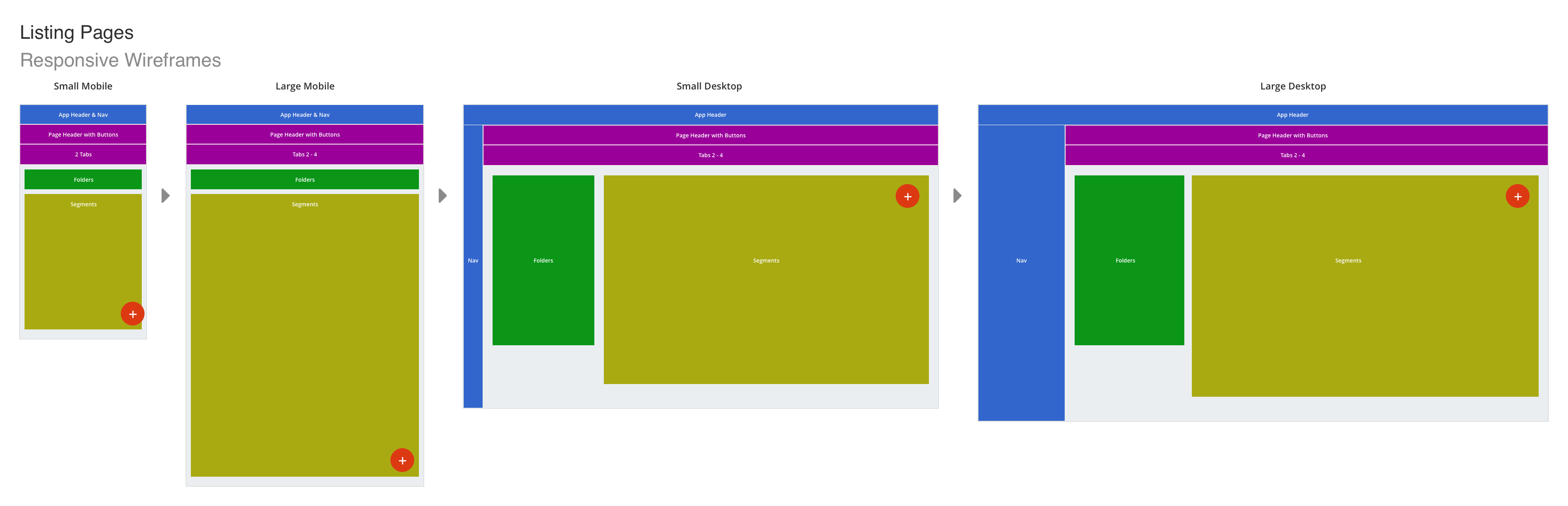
It was crucial to approach the feature with a responsive mindset from the very beginning, ensuring we understood how layout configurations would adapt across different device sizes. Because telemetry showed that our users interact with the platform on desktop the vast majority of the time—only requiring mobile access a few times a year—we prioritized a desktop-first design framework before scaling down to smaller breakpoints.
The primary benefit of designing for desktop is the ability to leverage hover states to intuitively communicate interactive elements. Conversely, designing for mobile removes hover capabilities entirely, meaning touch targets and interactive layouts must be explicitly clear and obvious to the user at first glance.
Desktop Design
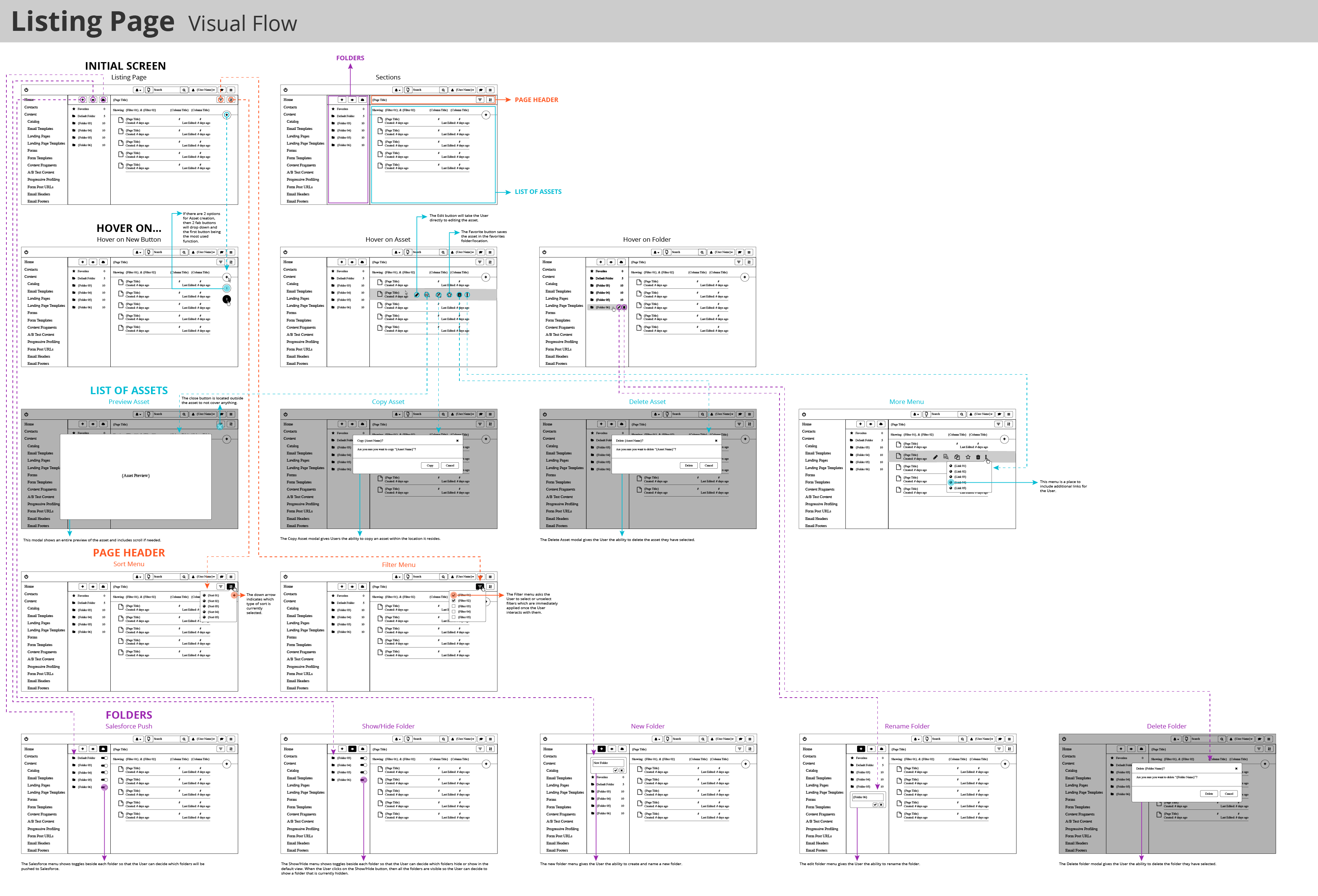
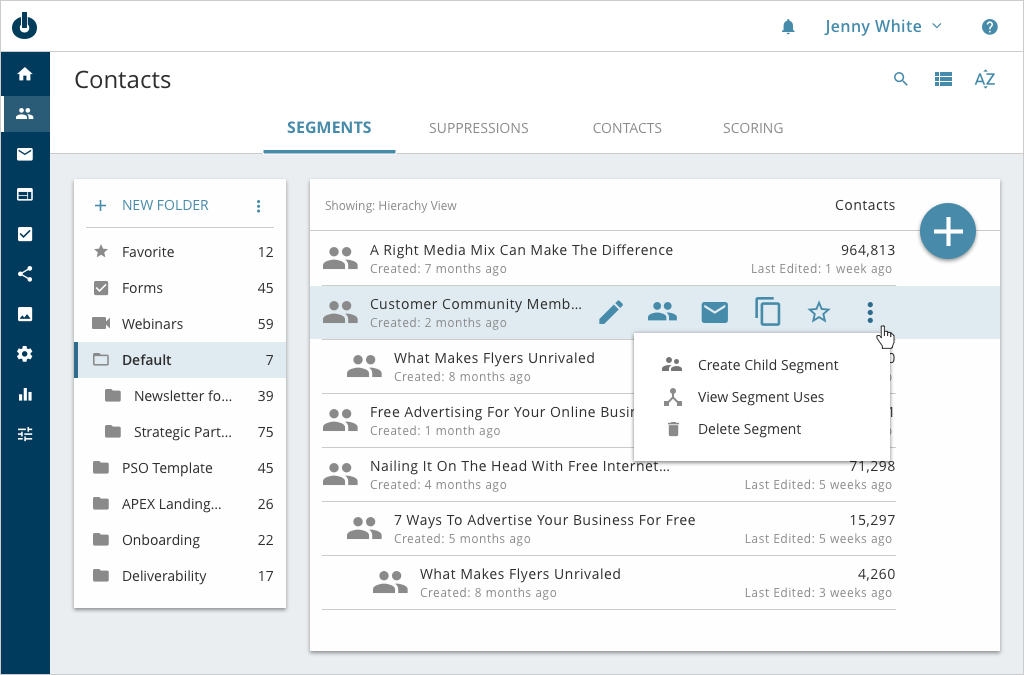
We established a few clear goals for this phase: deliver consistent interaction models, a simplified layout, and a clean overall aesthetic. Fortunately, I had already established the application’s comprehensive style guide, which explicitly defined multiple core interaction patterns—such as initial, hover, and selected states—alongside visual hierarchies for primary versus secondary actions. Armed with these pre-defined patterns, building out the Contacts Listing Page was highly efficient, allowing us to focus on simplifying the core layout while seamlessly introducing a few new utility functions.
Mobile Design
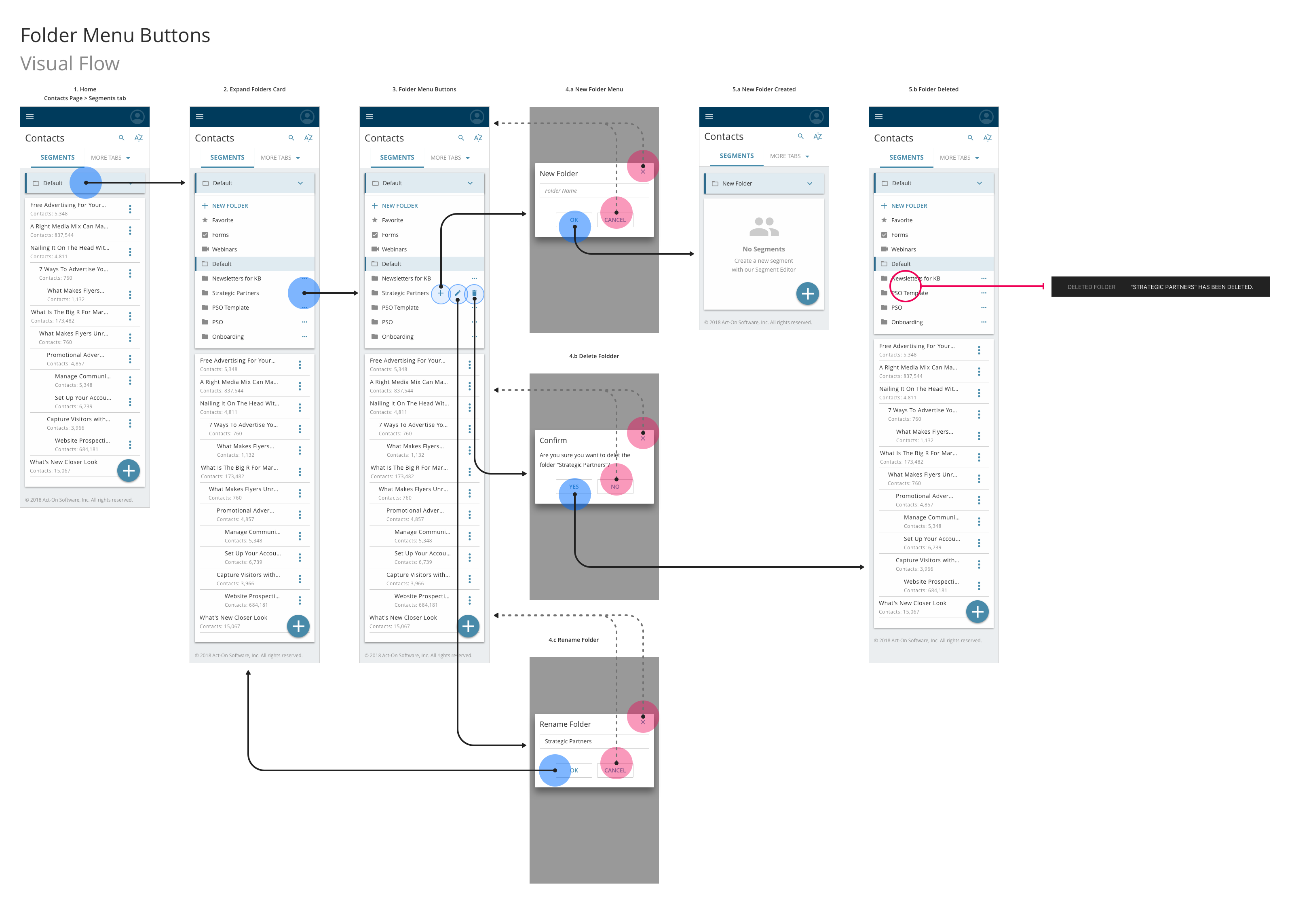
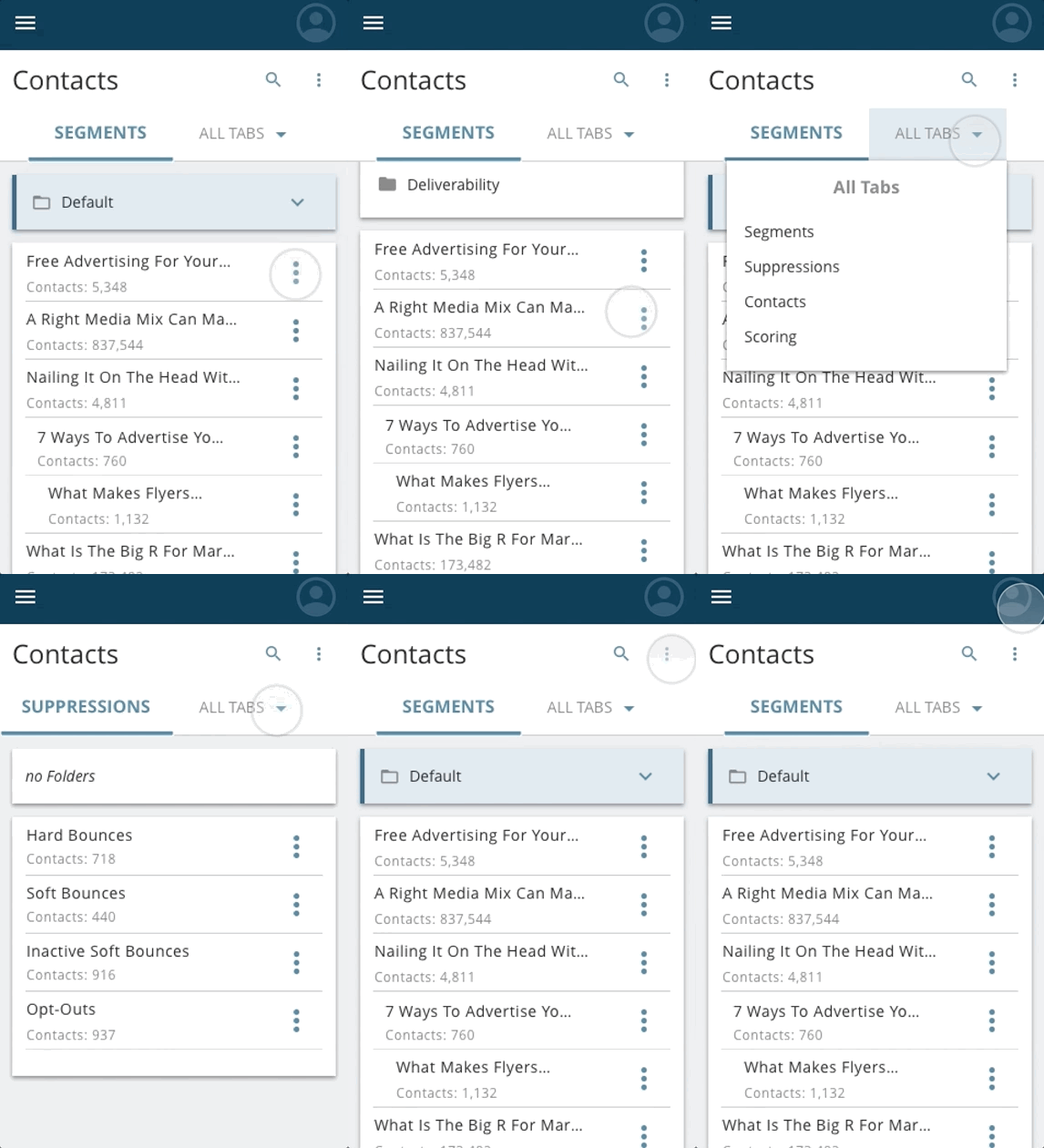
This mobile user flow illustrates the specific folder interactions on the Contacts Listing Page. It maps out how the mobile menu displays the folder hierarchy and guides users to the three primary folder actions: creating a new sub-folder, renaming a folder, and deleting a folder. The flow meticulously documents the positive path when a user successfully completes an action, as well as the negative path to handle instances where a user chooses to cancel or abandon the task.

Usability Testing
With the initial layouts defined, we built an interactive prototype to conduct a round of usability testing. Our primary objective was to validate whether users could effortlessly execute foundational tasks on the Listing Page. We tasked participants with prompts such as, “Can you sort your Segments from the highest number of contacts to the lowest?” and “Can you toggle the display to List View?” We also wanted to verify if our navigation menu labels were completely intuitive.
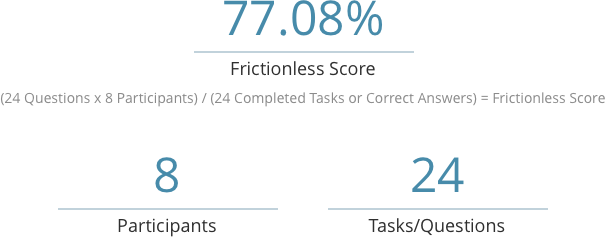
Our initial round yielded a strong 77.08% Frictionless Score. The resulting insights clearly highlighted which UI elements worked beautifully and which caused friction, giving us a highly actionable roadmap for design optimization.
Results
While the Contacts Listing Page may not be the most complex feature in the product ecosystem, it plays a vital role in the day-to-day user experience, proving that the smallest details truly matter. Following our targeted design refinements, we ran a second round of validation testing with a mix of novice and power users. The adjustments paid off significantly, driving our final Frictionless Score up to 86.12%—a result the entire product team was incredibly thrilled with.